It’s 2026 and I’ve been trying to decide what AI and LLMs are useful for in my day to day teaching. One of the things that has been floating around has been the promise of reducing admin time for teachers using LLMs, but I honestly haven’t found the argument to be that compelling. I don’t trust it near the things that take up most of my admin time like communicating with students, parents, and partner schools. It’s mostly been terrible for curriculum planning, mediocre at best for assessment design, and laughably bad at generating lesson slides, particularly anything involving diagrams.
I’ve had colleagues talk about using some teacher-specific (paid) services to generate slide decks, but the examples I’ve seen have been either overly colourful and distracting or bland beyond belief. The fact they’re frequently riddled with errors doesn’t help. The attempts I’ve made at hand-rolling tools for this have also tended to increase the time I work on something, rather than saving me time.
So what is it good for?
I’ve found Google Gemini to be surprisingly good at image analysis. I’ve fed it incredibly messy handwritten examples of student work (sans PII of course) it’s done a very credible job of interpreting the problem solving process. I’ve given it hand drawn wireframes and gotten it to generate a prototype web page based on the sketches which have been very accurate. I’ve given it a framework for doing visual analysis of images, identifying design principles and elements that suit those covered in a course, supplied an image of a web page, and it does a pretty good job of spitting out a reasonable output.
This brings me to the problem I was trying to solve - how can I take that analysis and create some nice visuals for students to use as part of our asynchronous learning time? Gemini and other models are just pain awful at generating images that have any sort of accuracy, especially for diagrams. Just look at the great example that Microsoft butchered as part of its Github course.
When I asked Gemini to mark up a web page screenshot with design annotations, it just gave me an “I’m sorry Dave, I’m afraid I can’t do that”, which frankly was a bit of a relief. However, since it was pretty good at the visual analysis part, I wondered if there was another way: if it could identify where on the image an annotation should go, surely it could just create a web page that used the image as a background, and then create some clickable hotspot elements at the correct coordinates, right? Right?! Well actually, yes it could.
A bit of refactoring later, and I have a template that I can give to Gemini along with a screenshot, instructions to generate a JSON blob of configuration data on hotspots, annotations, and an image path, and I can just paste the config blob into the template on my computer and voila! an interactive HTML file for my students that takes maybe 5-10 minutes to create.
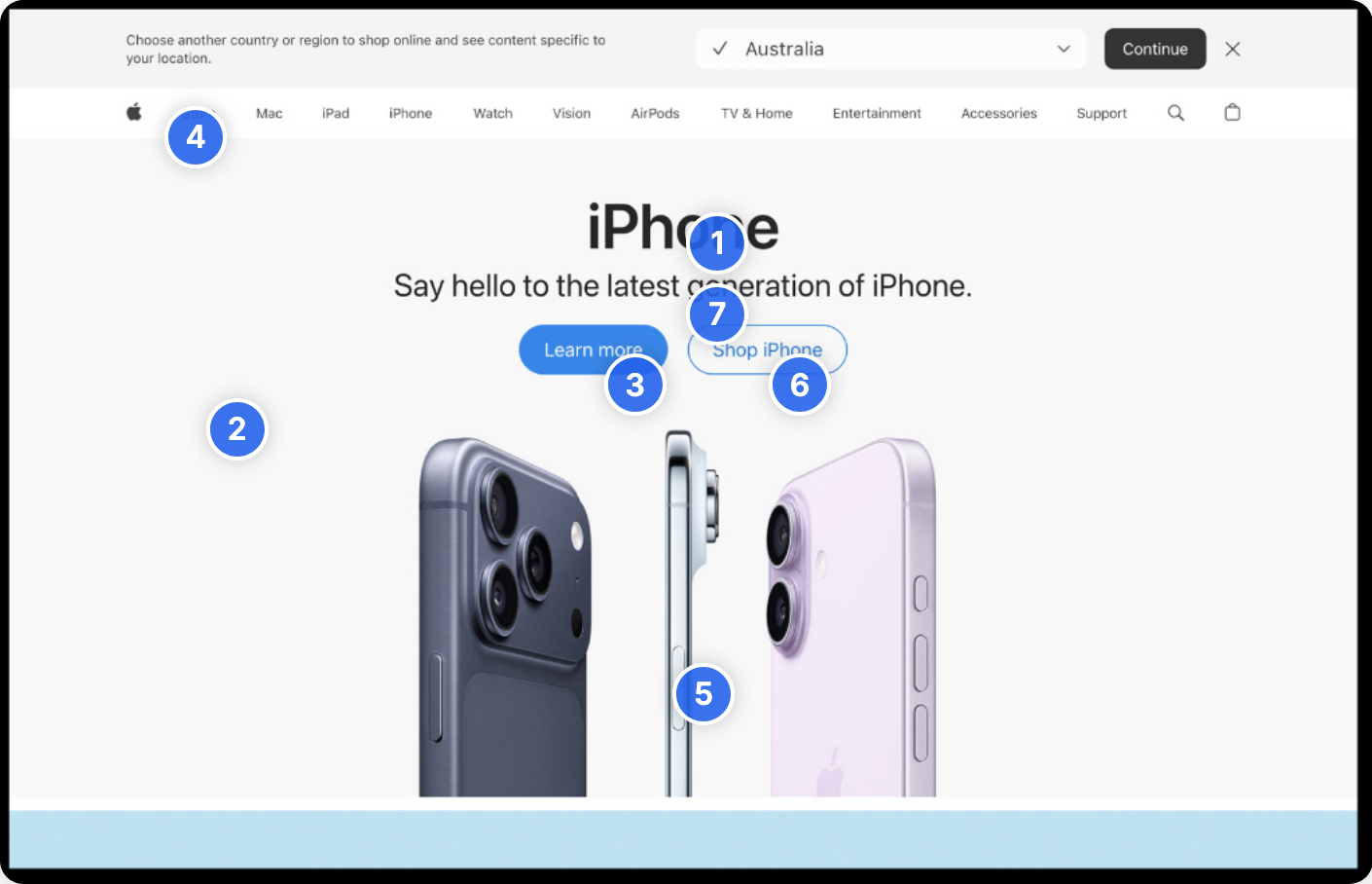
I finally saved myself some time using AI and it only took two years or so!
Going a little bit further, I popped into the Copilot CLI and got it to package the same thing up as an H5P resource that I could more easily stick into our Moodle LMS, and create a SCORM package for some basic formative assessment.
Most importantly for me is that because everything is configured to be reusable with minimal editing, the only thing I go back to the model for is to give it a different screenshot and get a JSON blob in return. I don’t have to have it founder away on all the same problems again and again as it rediscovers issues with H5P plugin versions, incorrectly resource formats, etc.
I could even [sotto voce] just create the JSON config all by myself 🫢
I have a copy of some sample screenshots that went through the process in my github repo. These are unmodified from what Gemini generated in terms of analysis. Some of it might be a bit of a stretch, but I don’t think it’s terrible. My gut tells me that if you tried to push an image is that was just terrible design Gemini would cheerfully try and justify some nonsense, so obviously YMMV.